
I am beyond excited to give you access to the brand new Learn Adventurously Bioclub!
To access all your courses, visit lab.learnadv.com and login using the same credentials you use on the main website (LearnAdv.com). There are a few subtle, but significant changes to how courses operate. I'll leave the nitty gritty for a LAB Update coming next week.
This LAB Report will guide you through the site so you can Learn Adventurously today!
Preface:
- All lessons, quizzes, and mastery checks were manually copied from the prior platform. I've triple checked everything transferred properly, but dreary eyes make for bad edits. If you notice anything, reach out via discord or email!
- Prior course progress likely will not transfer due to changes in what constitutes completion. I am still adding badges and certificates for courses/programs. If you need a past certificate of completion for any reason (grant, job, CV etc.) shoot me an email. Alternatively, you can retake the material and get a brand new certificate once they're finished
- There are many features and workflows not yet implemented. My focus the past couple weeks was to transfer the material first and then play around with all the new tools we have access to! Ill let you know as soon as I do
- The primary website, Learnadv.com, will be down for a few days. Billing is still accessible at billing.learnadv.com using the same account credentials you use on Learn Adventurously.
My primary goals with this new LAB portal was to make accessing lessons easier, introduce new accountability/communication features, and migrate to a platform with more support as we grow. We currently have north of 200 lessons, spread through 13 courses, 3 programs, and >25 LAB reports. Its a lot to manage!
So lets show you how to access all of it!
1. Visit Lab.learnadv.com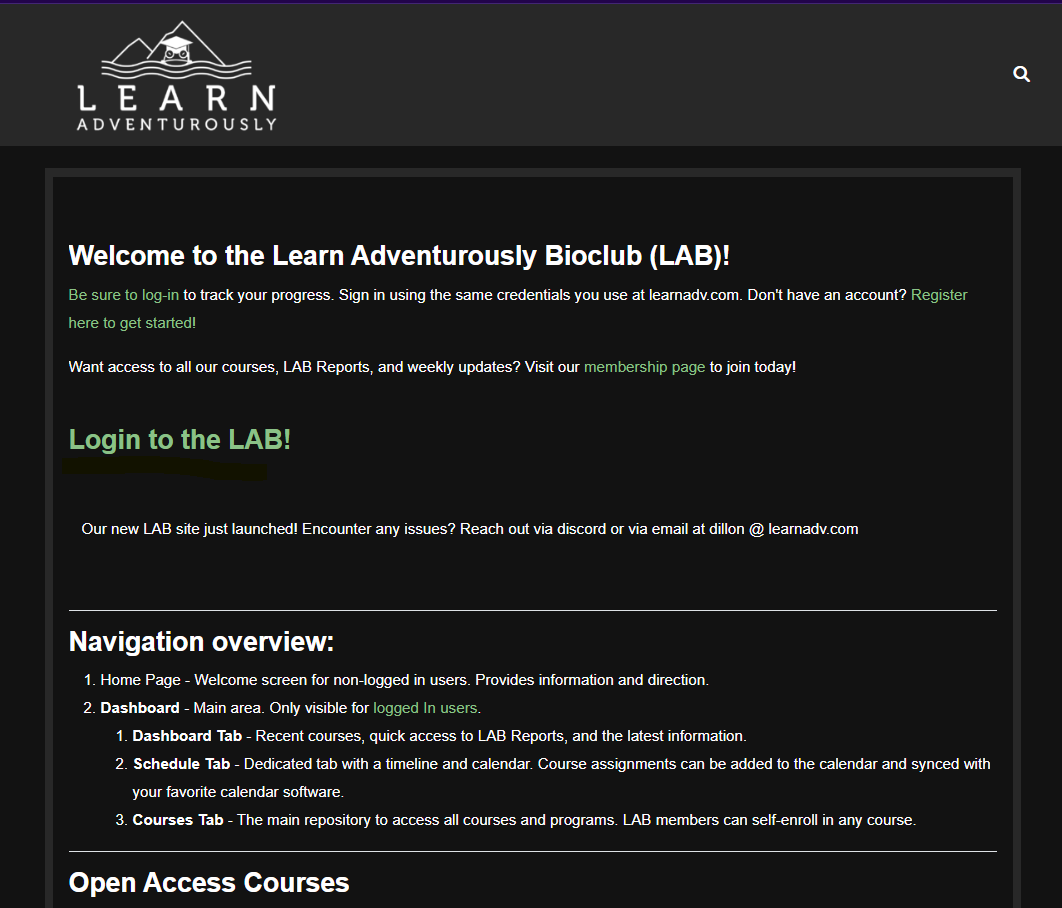
2. Login using your same credentials you use on learnadv.com. If you use sign in with google, you will need to do so here as well. 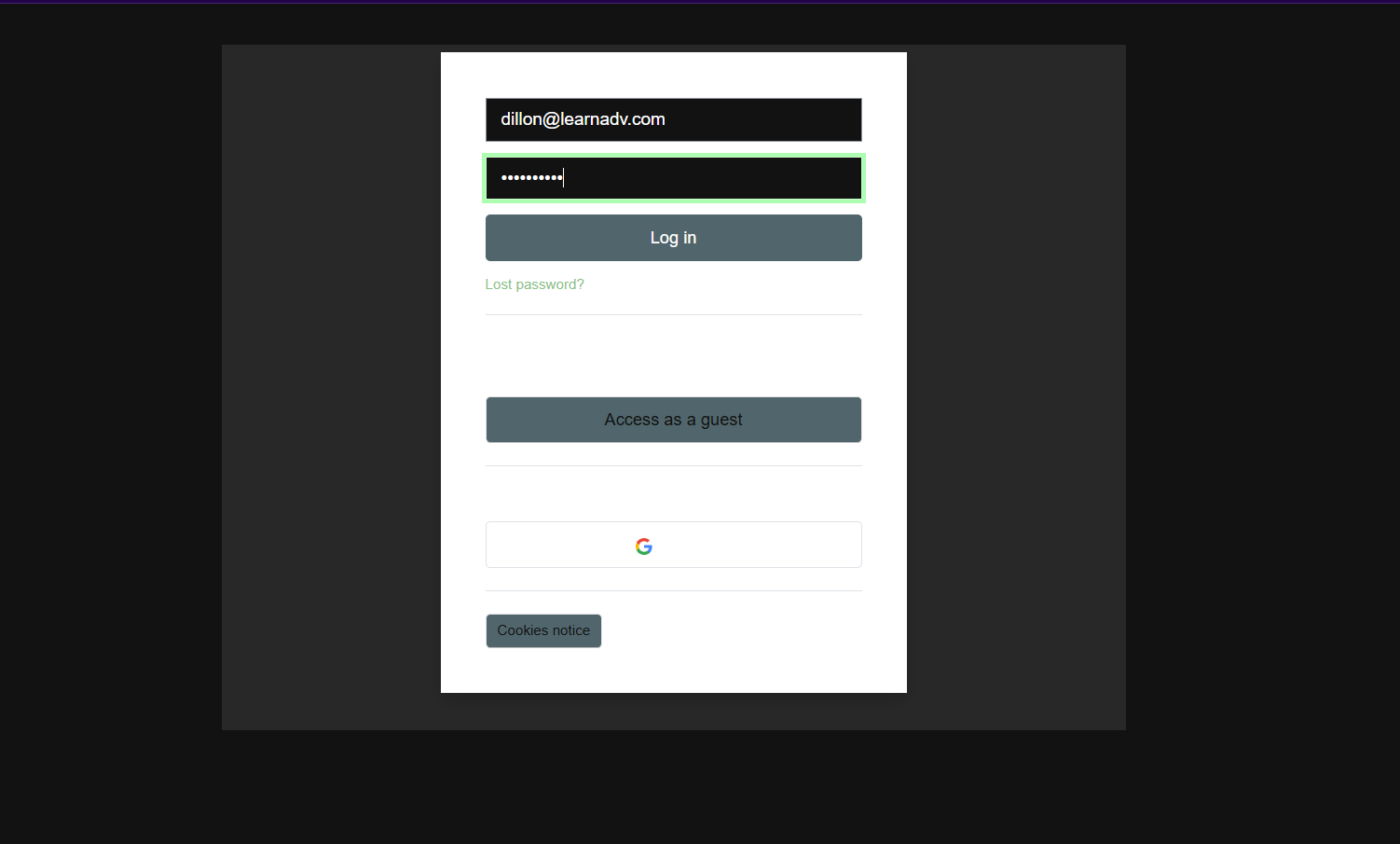
3. Visit the Dashboard. Your login will route you to the dashboard is your personalized main Hub! If there is anything you want on this page, let me know!
The dashboard is split into 3 tabs. The primary Dashboard tab displays the latest announcements, your recently accessed courses, and the LAB reports. You can click on any of the cards to get started. 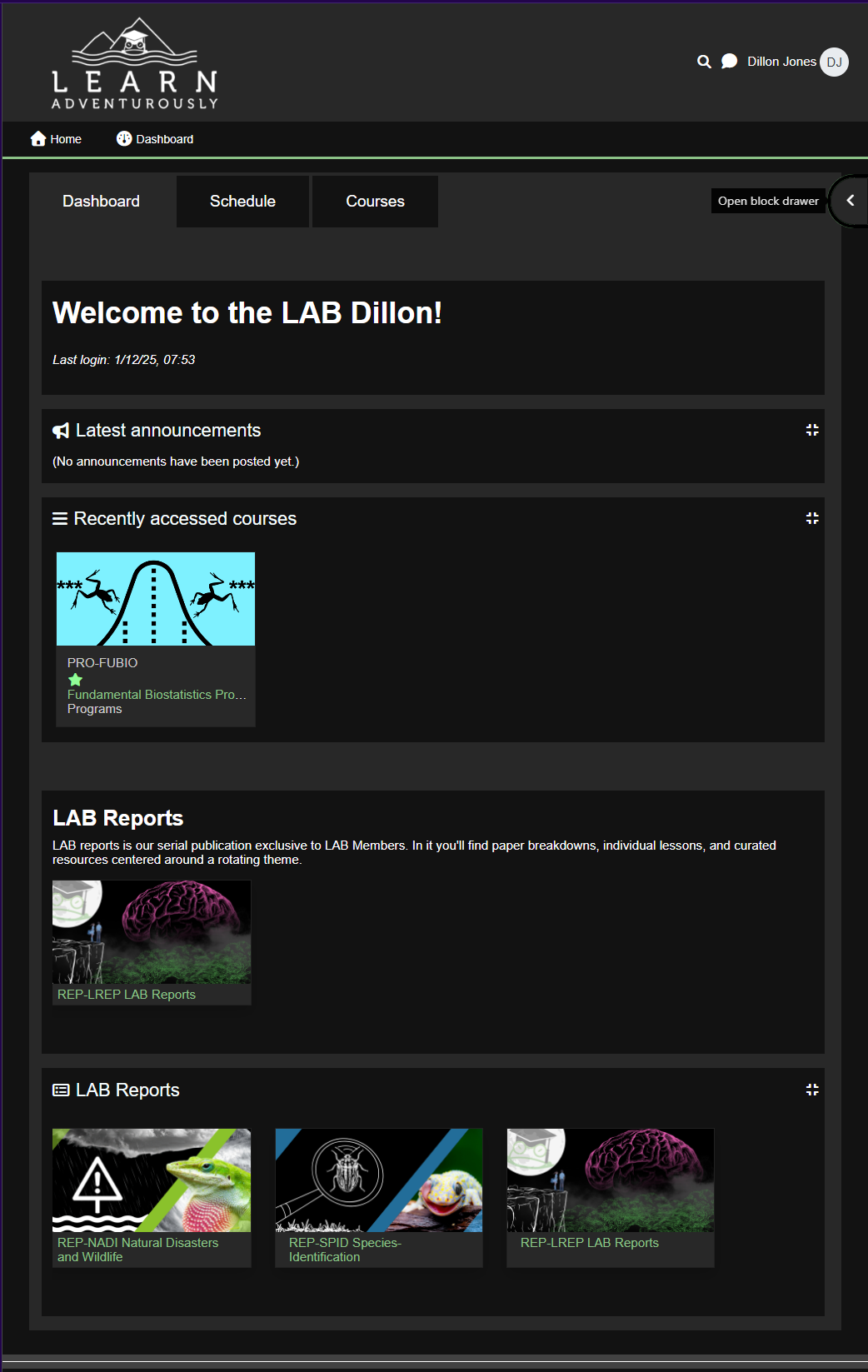
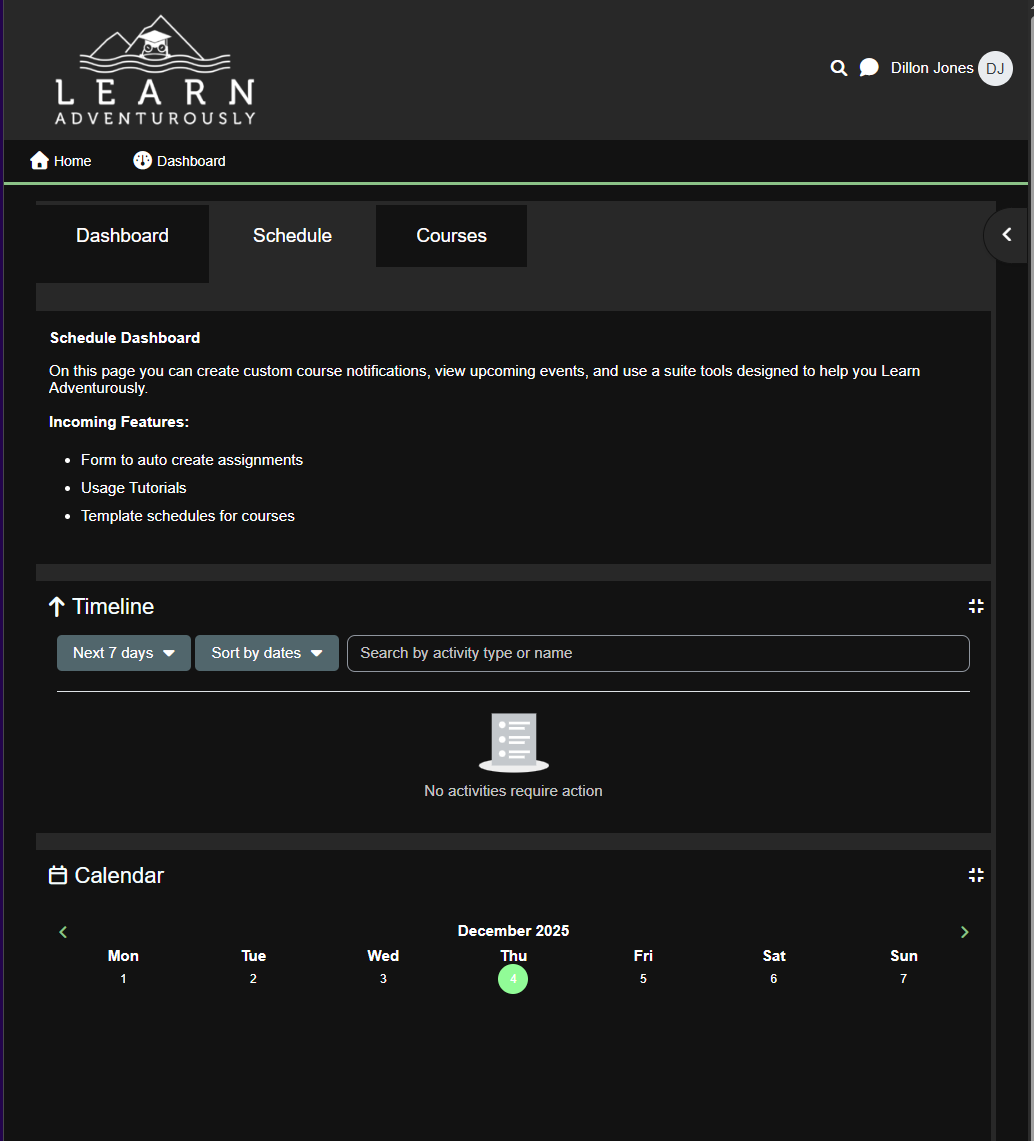
Schedule tab: This offers a timeline and calendar we'll use to track course progress, assign weekly action items, and help you keep track of your learning! Ill be using this with LAB reports to help keep you accountable.
Courses tab: Main course page. This contains all courses, programs, and LAB reports currently available. A section at the bottom is dedicated to Work in Progress courses. 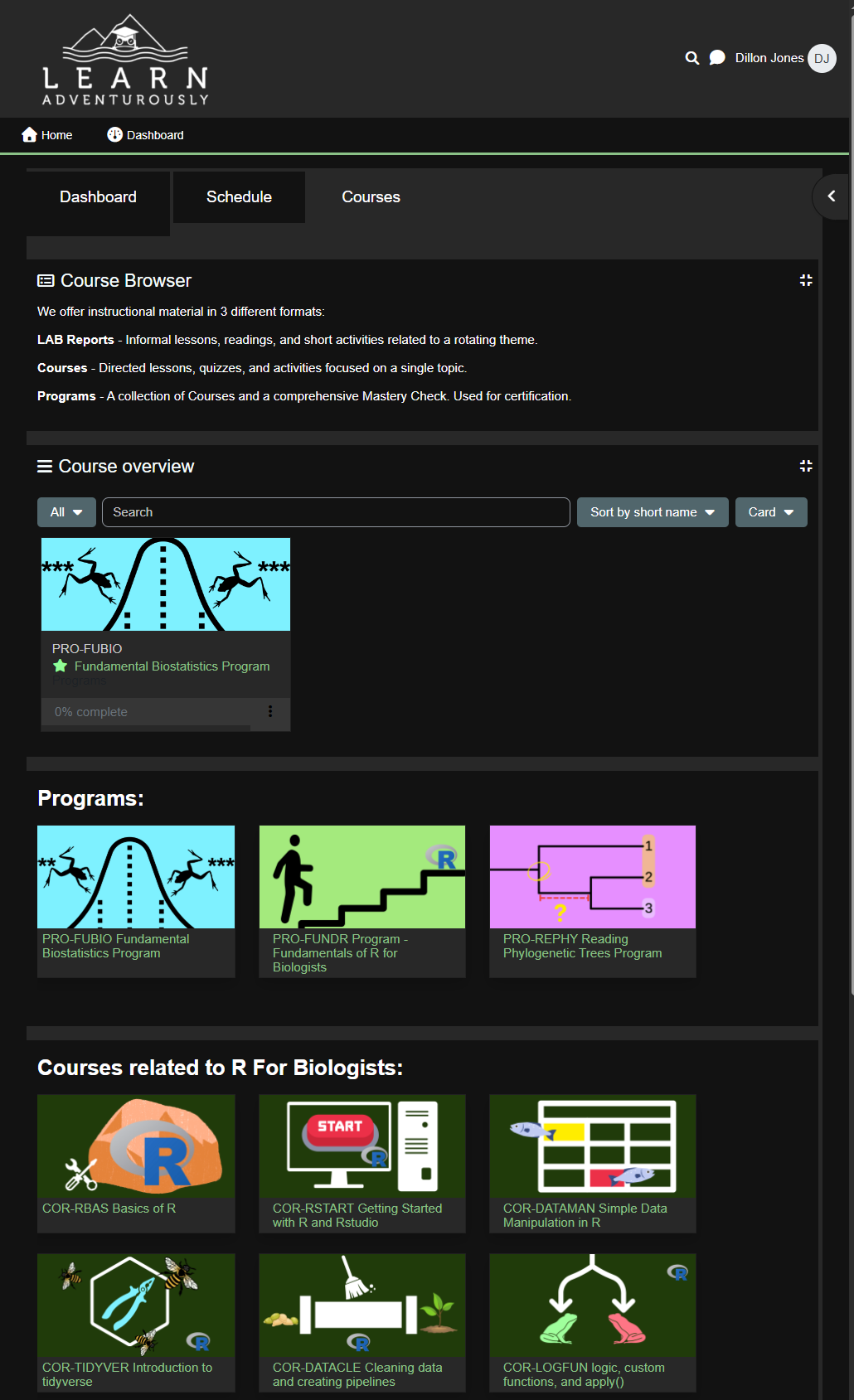
4. Enroll in a course
One change from the prior platform is that you will need to enroll in a course before you can take it. Enter any course and click the "Enrol me" button to get started. You can see currently enrolled courses on your dashboard. If you wish to unenroll from a course your grade progress will be saved and restored when you re-enroll. You may wish to unenroll from a course to limit notifications or to clean up your dashboard. 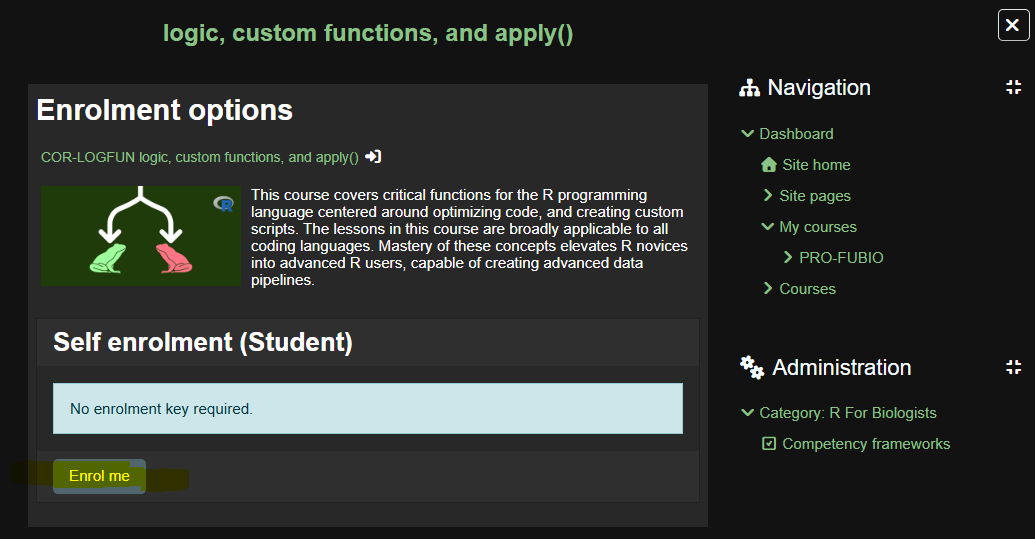
5. Access the course!
Thats it! You now have access to all the course material and it will show up in your recently enrolled courses. 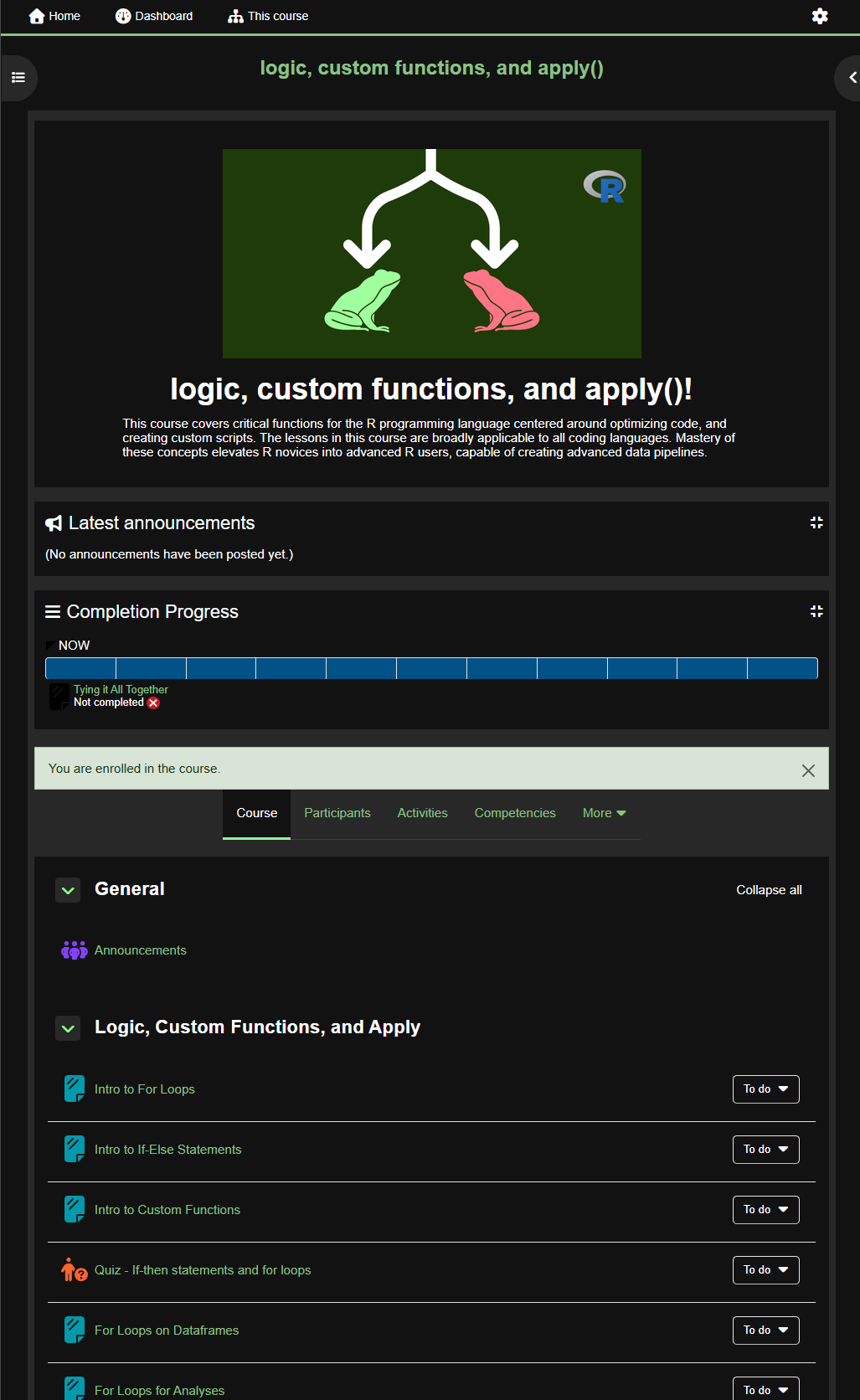
Course Completion
All courses have the same completion requirements. First, pass all quizzes in a course with 100%. This will unlock a Mastery Check. Pass the mastery check to complete the course! On the main page of each course, there is a completion status bar. NOTE: Although displayed on the progress bar, viewing lessons are not required for any course completion.
The to-do button beside each activity shows what is needed for completion. Some activities may have requirements before they unlock. For example, to unlock a mastery check you must complete other quizzes. To pass the mastery check you must complete it with a passing grade 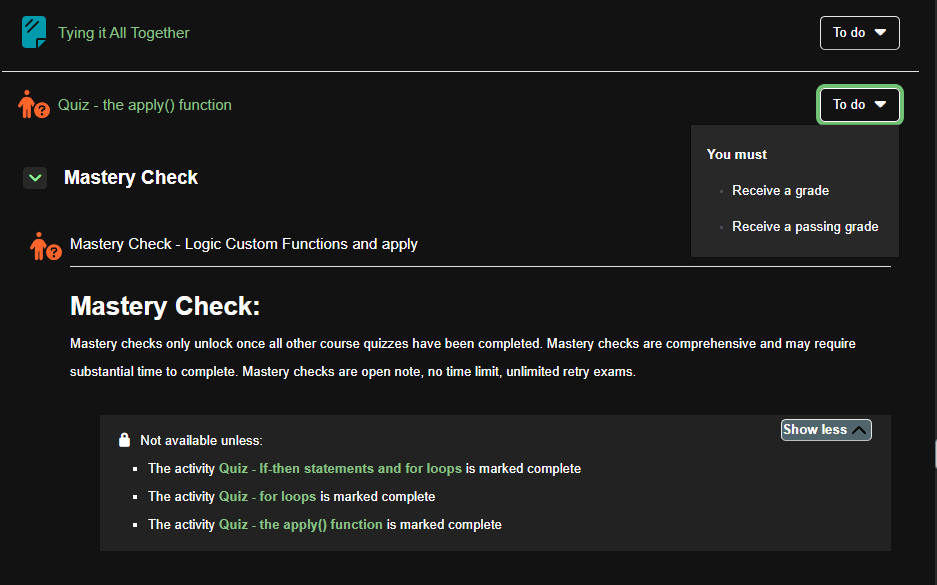
Program and Program Completion
Programs are collections of courses. To complete a program, you must first complete all courses in the program (i.e. pass their mastery checks). Following the completion of all courses, a final Program Mastery Check will unlock allowing you to complete the program!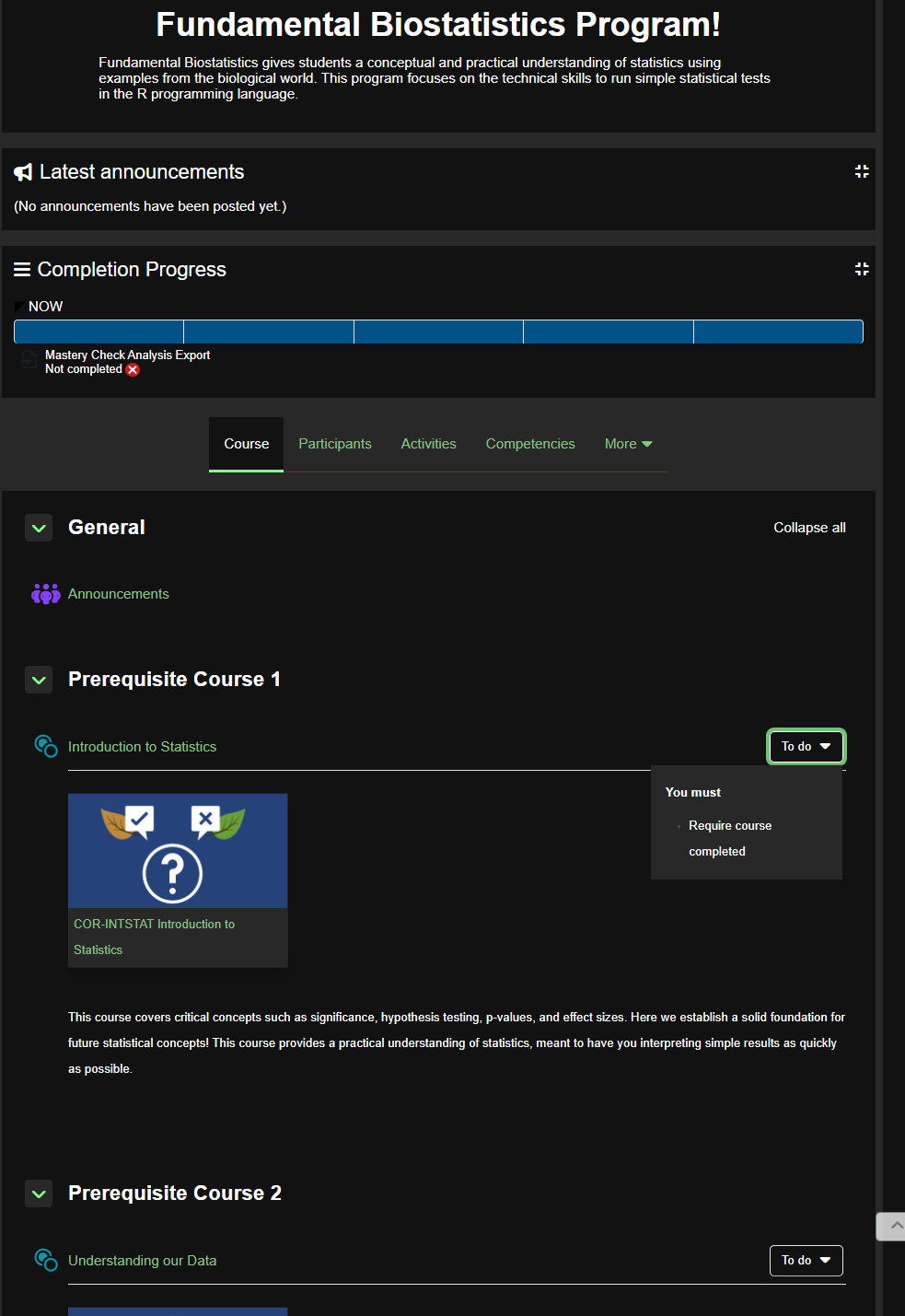
LAB Reports
LAB reports are now accessed from the main dashboard page. When new LAB reports are posted you'll find them here first. I'm still working on the specifics, but one big change is that announcements, course updates, and other communications like this will no longer be in the course as a lesson. Instead they will be in announcements.
Helpdesk
The Helpdesk is also live on the new site. Just tap the green arrow in the bottom to access the help documentation or ask a question yourself!
That should cover the very basics! Next week we'll explore our evolution series in the LAB reports alongside an update email that covers the current and upcoming changes with more depth.
I have a ton of work ahead of me on the other site. These changes are drastic, but I am confident they will help students complete more courses, enable easier lesson creation/management, and give Learn Adventurously the structure it needs to grow!
As always, thank you for learning adventurously! Don't hesitate to reach out if you need help accessing anything.
-D